Workflow & Planning
ChatArchive
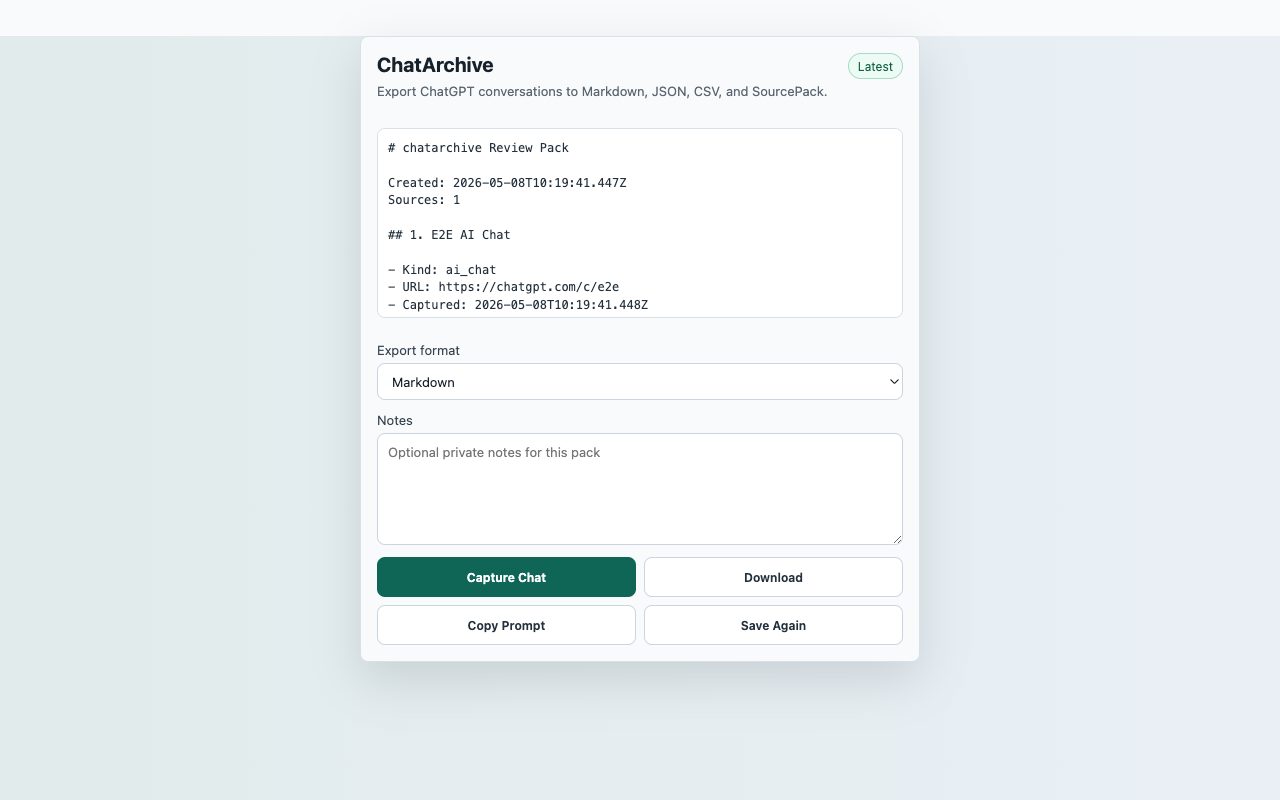
Export the currently visible ChatGPT conversation into local research files after a user click.
InputCurrent ChatGPT conversation page
ActionCapture Chat
FilesMarkdown, JSON SourcePack, CSV source index
PermissionactiveTab, storage, contextMenus, downloads, scripting; no persistent host permissions
StorageRecent captures in chrome.storage.local
ReviewerOpen reproducible guide
Captured content stays local unless the user downloads an export.
Core flow
Capture Chat to local export
- Open a ChatGPT conversation.
- Click the extension action, then choose Capture Chat.
- Review ordered visible messages, code blocks, and optional notes.
- Download Markdown, JSON SourcePack, or CSV.
Capture surfaceCurrent ChatGPT conversation page
Suggested smoke targetSuggested smoke target: open https://chatgpt.com/ and use any visible conversation in the reviewer profile.
Primary actionCapture Chat
ExportsMarkdown, JSON SourcePack, CSV source index
StorageRecent captures in chrome.storage.local
PermissionsactiveTab, storage, contextMenus, downloads, scripting; no persistent host permissions
Scope
What ships in this build
Included
- Preserves visible user and assistant message order.
- Keeps code blocks readable in Markdown output.
- Handles empty conversations without collecting sidebar text.
- Starts with ChatGPT only and requests no persistent AI platform host permissions.
Limits
- Only content mounted in the visible ChatGPT conversation page can be exported.
- Claude, Gemini, and Perplexity hosts are not requested in this launch build.
- Exports are local files generated by the browser.
- ChatArchive is not affiliated with OpenAI or ChatGPT.